
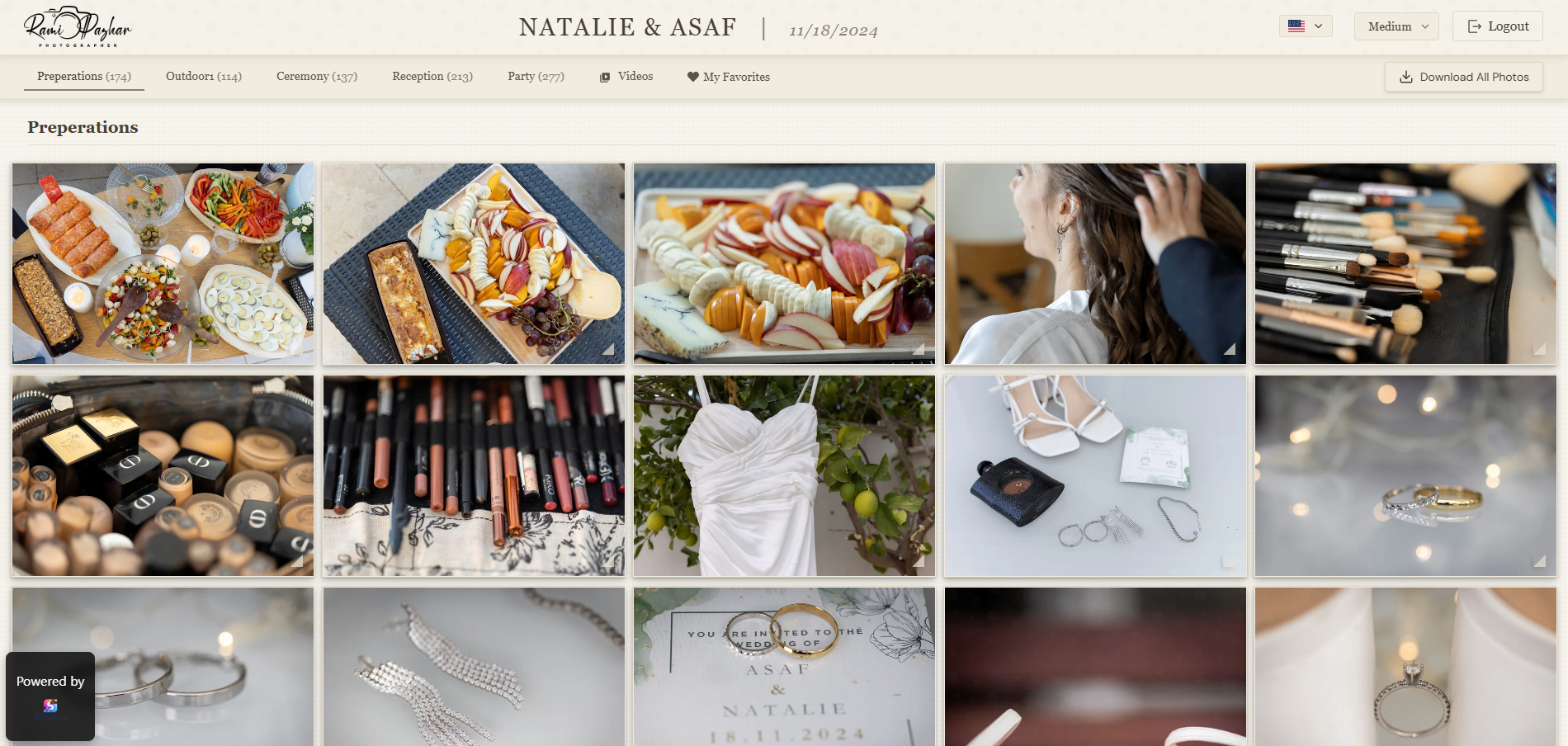
A better delivery experience makes your work feel more professional.
If you are figuring out how to deliver photos to clients in a way that feels professional, start with the method—not just the transfer tool. Photographers often ask what the best way is to send photos to clients. The short answer: a private online client gallery with clear structure, simple downloads, and a good mobile experience usually beats folders, zip files, and generic file-transfer links.
Why photo delivery matters more than many photographers think
The delivery stage is one of the last moments a client remembers. If the photos arrive through a confusing folder, a messy link, or a giant zip file with no structure, the final impression feels less polished than the shoot itself.
A clean client gallery makes the work feel intentional. It tells clients where to click, how to view the photos, and how to download them without confusion.
Good delivery also reduces support messages. When clients can browse, favorite, and download without asking for help, you spend less time explaining links and more time shooting.
Common delivery mistakes photographers still make
Many photographers still use generic storage folders, scattered links, or manual explanations every time they send a gallery. These methods work, but they rarely feel professional to the client.
The biggest problems are unclear structure, weak mobile experience, and too much friction around downloads.
Other frequent issues: sending multiple competing links, naming files in a way only you understand, forcing account signup before viewing, and forgetting to check how the gallery looks on a phone.
How photographers deliver photos to clients today
There is no single tool every photographer must use, but most professional workflows fall into a few patterns.
Online client galleries
You upload images to a private client gallery for photographers, share one link, and clients view and download in a browser. This is usually the best balance of presentation, speed, and client comfort.
File transfer services
Tools like WeTransfer move large files quickly. They solve transfer, not presentation: clients get files, not a polished viewing experience.
Cloud folders
Dropbox or Google Drive folders are familiar, but they often feel like a shared hard drive rather than a photography product. Structure and branding are easy to lose.
Physical media or USB
Still used for some weddings and archives. Useful as a backup deliverable, but slow and harder to update if you add more images later.
What a professional delivery workflow looks like
A professional workflow is simple: upload the photos, organize the gallery, share one private link, and let the client view and download from any device.
If you offer albums or prints, photo proofing for albums and prints inside the gallery also saves time and removes messy back and forth.
Step 1 - Prepare and upload
Export finals at the quality you want clients to receive, upload them into one gallery, and use clear set names (Ceremony, Portraits, Reception) when the shoot has natural chapters.
Step 2 - Set the experience
Choose a strong cover image, confirm download permissions, and preview the gallery on desktop and mobile before sending.
Step 3 - Share one private link
Send a single link with short instructions. Avoid attaching competing zip files unless a client specifically asks.
Step 4 - Support selection if needed
For albums or prints, let clients mark favorites or proof inside the gallery so you are not chasing email replies.
Client gallery vs file transfer (Dropbox, WeTransfer, Google Drive)
A file transfer solves the technical problem of moving files. A client gallery solves the experience problem.
If you want delivery to feel premium, organized, and easy to use, a gallery is usually the better choice.
Use file transfer when a client only needs raw-sized archives for design or print production. Use a client gallery when people need to browse, share with family, select favorites, or download selected images comfortably on a phone.
How to Send Photos to Clients Without Losing Quality
When you send photos to clients, quality loss usually comes from the delivery channel—not from your camera or edit. Messaging apps, social platforms, and some email clients resize or recompress images so they load quickly in a chat thread. That is fine for a quick preview, but it is a poor way to hand over final work your clients paid for.
Deliver original-resolution files, or the exact export size you promised in your contract. Avoid WhatsApp, Instagram DMs, Facebook Messenger, and similar apps for finals: they compress by design, often strip metadata, and leave clients with soft, low-resolution copies. Cloud storage folders or a professional client gallery keep full-size downloads available without re-encoding the files for chat.
Ask clients to download the original files from the link you shared, rather than screenshotting a screen or saving a compressed in-app preview. Screenshots look acceptable on a phone and fall apart in print. When you are delivering dozens or hundreds of images, a client gallery is especially practical: one private link, clear browsing at full quality, and selective or bulk downloads without stuffing a chat with compressed attachments.
Why mobile-friendly delivery matters
Many clients open gallery links on their phones first. If the gallery is slow, hard to zoom, or awkward to download from, they will bounce or ask you for another method.
A mobile-friendly client gallery should load quickly, show images clearly, and make single-image and bulk downloads easy without desktop-only instructions.
Privacy and security when sending photos online
Clients trust you with personal moments. Prefer private links over public folders, and avoid posting full galleries on open social feeds when privacy matters.
A private online gallery keeps access limited to people with the link, while still being easier than mailing USB drives or emailing huge attachments.
How to deliver photos by photography type
Wedding photographers
Large galleries benefit from clear sections and optional album proofing so couples can select favorites without endless email threads.
Family and portrait photographers
Keep the gallery calm and simple. Families often share the link with relatives, so private access and easy downloads matter more than advanced tools.
Event photographers
Speed and mobile viewing matter most. Guests may open links during or right after the event, so a clean online gallery beats delayed zip dumps.
Download settings that reduce client confusion
Decide in advance whether clients can download everything, selected images only, or view-only until payment or album selection is complete.
Explain the download option in your delivery email in one sentence. When clients know what to expect, they ask fewer questions.
Sample client email for photo delivery
Keep the message short. Clients mainly need the link, what they can do, and how to reach you if something fails.
Hi [Name], your photos are ready. Open your private gallery here: [link]. You can browse on phone or computer and download the images from the gallery. Reply to this email if you need help.
A quick checklist before sending a gallery
Before sharing, make sure the cover image is strong, the title is clear, downloads are set the way you want, and the gallery looks good on mobile.
Small details make a big difference in how professional the whole service feels.
- Cover image and gallery title are clear
- Sets or sections are named for the client, not for your editing workflow
- Download permissions match what you promised
- You tested the link on mobile
- Your email includes one primary link and short instructions
Frequently asked questions
How do photographers deliver photos to clients?
Many photographers use online client galleries so clients can view and download photos through a private link. Others still use file transfer or cloud folders, but galleries usually feel more professional.
What is the best way to send photos to clients?
Usually a private online gallery with clear structure, simple downloads, and a good mobile experience. It presents your work better than a raw zip or storage folder.
Should clients need an account to view photos?
Usually not. A private link is often the simplest and most client-friendly option.
Is Dropbox or WeTransfer good enough for photo delivery?
They work for moving files, especially large archives. For client-facing delivery, a dedicated gallery is usually clearer and more polished.
How do wedding photographers share photos with clients?
Most share a private online gallery with sections for key parts of the day, optional favorites or album proofing, and easy downloads for the couple and family.
How can I deliver photos securely online?
Use a private gallery link instead of a public folder, avoid posting full galleries publicly when privacy matters, and share access only with the people who need it.
Final thought
A strong client gallery workflow is not just about sending files. It shapes how clients experience your work, how professional your brand feels, and how easy it is for people to view, select, and download their photos.