
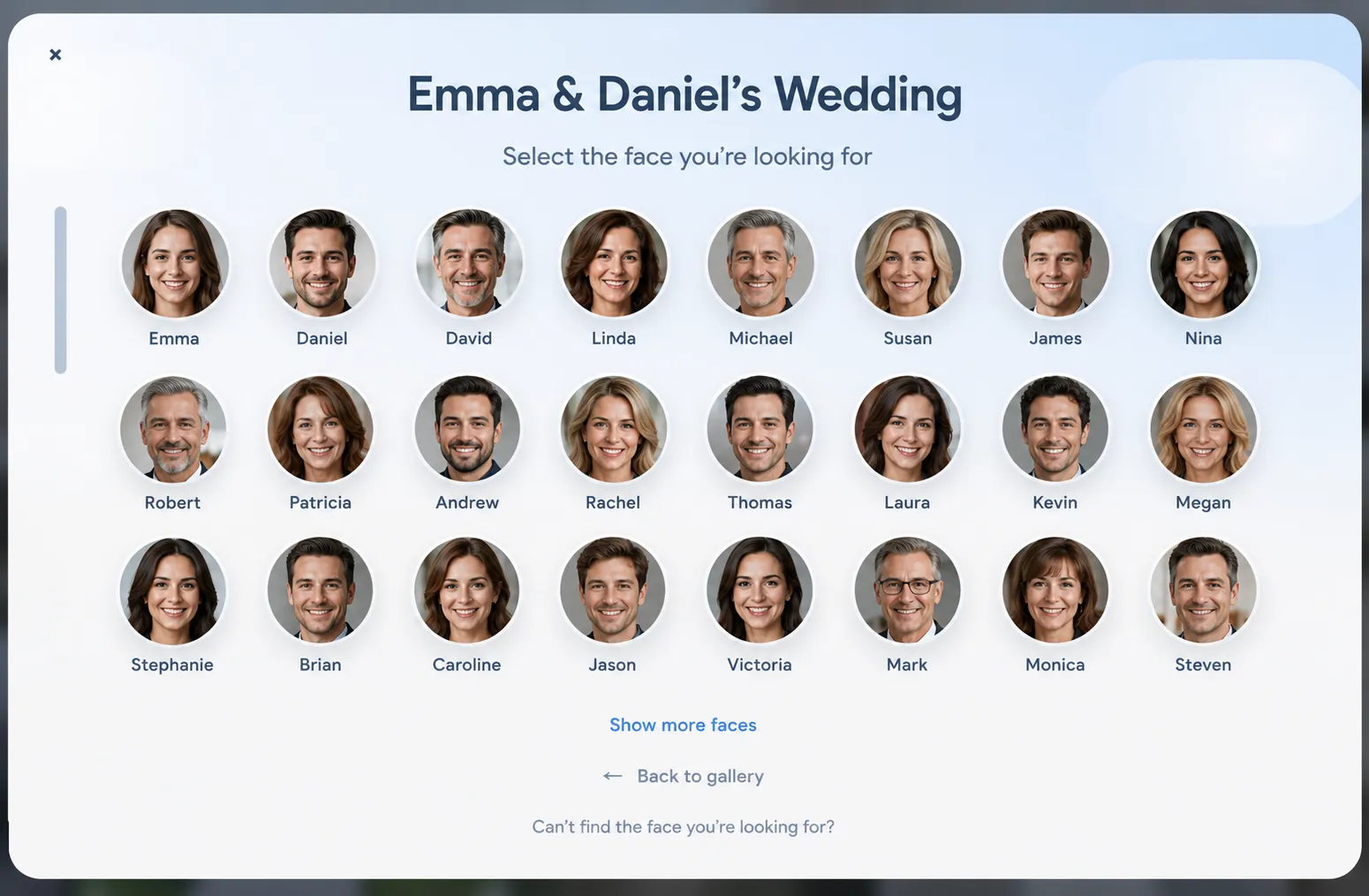
Large galleries are impressive — until guests get lost in them.
Wedding and event photographers often deliver hundreds or thousands of images. Guests open the gallery hoping to find “their” photos and instead scroll for ages. Face Match is built for that moment: guests can find photos of themselves quickly, while you spend less time answering the same question again and again.
What is Face Match in a client gallery?
Face Match is a gallery feature that helps people find photos of themselves inside a private online client gallery. Instead of browsing every thumbnail, guests use Face Match to narrow the gallery to images where they appear.
It sits on top of your normal delivery workflow. You still upload photos, share one private link, and let clients view and download. Face Match simply makes large galleries easier for guests to navigate.
Why Face Match matters for weddings and events
The bigger the gallery, the harder it is for guests to feel successful. Couples and friends want a few strong photos of themselves — not a scavenger hunt through every table shot and dance-floor frame.
When guests can find themselves quickly, the gallery feels more useful. That usually means more downloads, more sharing, and fewer WhatsApp messages asking you to point out their photos.
For you as the photographer, Face Match is less about “AI wow” and more about reducing friction after delivery — especially on weddings, bar mitzvahs, and corporate events with many faces.
How guests use Face Match
Guests open the private gallery link on phone or desktop — no account required in most cases. From there they can use Face Match to find photos of themselves without scrolling the entire set.
That keeps the experience simple: one link, one gallery, and a faster path to the photos they care about most.
Because it works in the same gallery they already use for viewing and downloads, you do not need a separate app or extra instructions beyond a short note in your delivery email.
How photographers use Face Match in delivery
Face Match fits into the same clean delivery flow you already want: upload finals, organize the gallery, share one private link, and let people view and download.
1. Deliver the gallery as usual
Create the client gallery, upload the images, set downloads the way you promised, and check that the gallery looks good on mobile.
2. Enable Face Match when it helps
Turn Face Match on for galleries where many guests will browse — typically weddings and large events. For small portrait sets, you may not need it.
3. Mention it in your delivery note
A single sentence is enough: guests can use Face Match in the gallery to find photos of themselves faster.
Which Simpixy plans include Face Match?
Face Match is available on Starter, Pro, and Studio. It is not included in the Free plan.
That keeps the offer honest: if you need Face Match for client delivery, choose a plan that includes it. Guests still open the gallery with a private link — they do not need their own Simpixy account.
Privacy, consent, and turning Face Match off
Face Match uses face detection on gallery photos. In many places this counts as sensitive biometric data, so you should collect any consents required by local law before turning it on.
Faces are processed only to power Face Match in that gallery. You can turn the feature off if you do not want it for a specific delivery.
A practical habit: treat Face Match like any other client-facing option — enable it when it helps, document consent when needed, and keep the gallery private with a controlled link.
Tips before you enable Face Match
- Use it on large multi-guest galleries (weddings, events), not every small portrait set
- Confirm your plan includes Face Match (Starter, Pro, or Studio)
- Collect any consent your local rules require before enabling face detection
- Keep the gallery private and share one clear link
- Mention Face Match briefly in the delivery email so guests know it exists
Frequently asked questions
What is Face Match?
Face Match helps guests find photos of themselves inside a Simpixy client gallery, so they do not have to scroll through hundreds of images.
Which plans include Face Match?
Starter, Pro, and Studio. It is not included in the Free plan.
Do guests need an account to use Face Match?
No. In most cases they open the gallery with a private link and use Face Match there.
Is Face Match useful for wedding photographers?
Yes. Wedding and event galleries are often large and guest-heavy. Face Match helps people find themselves faster and reduces “where are my photos?” messages.
What about privacy and consent?
Face detection can be treated as biometric data under local privacy rules. Get any required consents before enabling Face Match. Face data is used only for Face Match in that gallery, and you can turn the feature off.
Final thought
Face Match will not replace good curation or a clean gallery. It makes large guest-facing galleries easier to use — which is often the difference between a delivery people enjoy and one they get stuck in.